❓ Vendor Profile and Events FAQ
1. What is the ideal size for my band’s profile image?
Answer: The ideal size for your band or artist profile image is 400{px} X 400{px} (pixels).
Uploading the image with these square dimensions and high resolution ensures that it will look sharp on all devices.
Circular Crop Consideration: The system will display the image in a circular format. For complete control over the visible content, please ensure the most important part of your image is centered within the 300{px} x 300{px} (pixels) central square.
2. Which image formats are accepted for the vendor profile?
Answer: Bandclap.com currently accepts the two most common image formats:
- JPG / JPEG: Ideal for photographs.
- PNG: Perfect for logos or images requiring transparency.
3. How can I add a new event to my profile?
Answer: Adding a new event is a quick and intuitive process:
- Desktop Version: Simply click the “+ Add Events” icon located at the top of your profile menu.
- Mobile Version: Look for and tap the “+” (plus) icon to access the option to add an event.
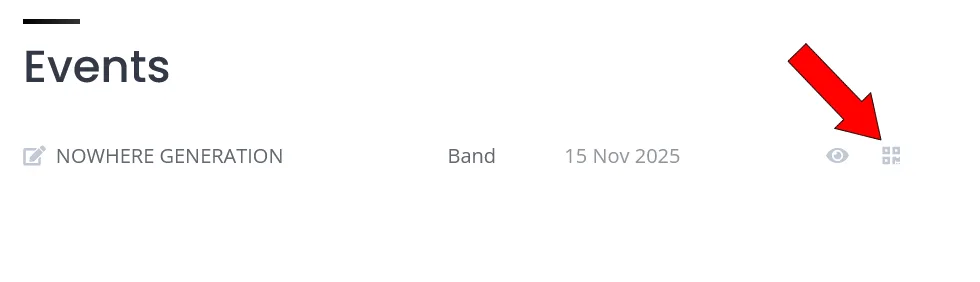
4. How do I generate a QR code to display at my event?
Go to your My Events dashboard, find the event you want, and click the “Generate QR Poster” button next to it. This will instantly download a print-ready A4 poster with a pre-configured QR code that opens the clap modal automatically when scanned.
We recommend printing this poster and placing it in a high-visibility spot at your event — like the exit, merch table, or stage area — so fans can leave a clap right after your show. No manual setup or external tools needed!